
Step 1: Receiving the survey
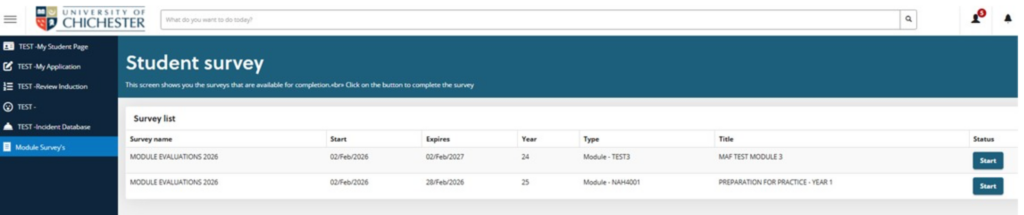
If you are studying on a module that is being evaluated:
- You will see a Module Evaluation task in your ChiView task list
- The task will be available for several weeks around the end of the module
Step 2: Completing the survey
The survey:
- Takes only a few minutes to complete
- Includes 9 short questions and one optional comment box
- Can be completed on any device
Your responses are:
- Completely confidential
- Viewed only in anonymised, aggregated form
- Not linked to you in any way
Step 3: How your feedback is used
Your feedback helps the University to:
- Understand what is working well on modules
- Improve learning and teaching where needed
- Share good practice across courses and Schools
If you have sensitive or personal concerns, you are encouraged to contact your link tutor, departmental administration, or the Student Information Zone directly, rather than using the survey comment box