Setting up a link for formative assignments or document collation

< 1 min read

You can use the Moodle Assignment for formative as well as summative assignments and for collating documents such as consent forms.

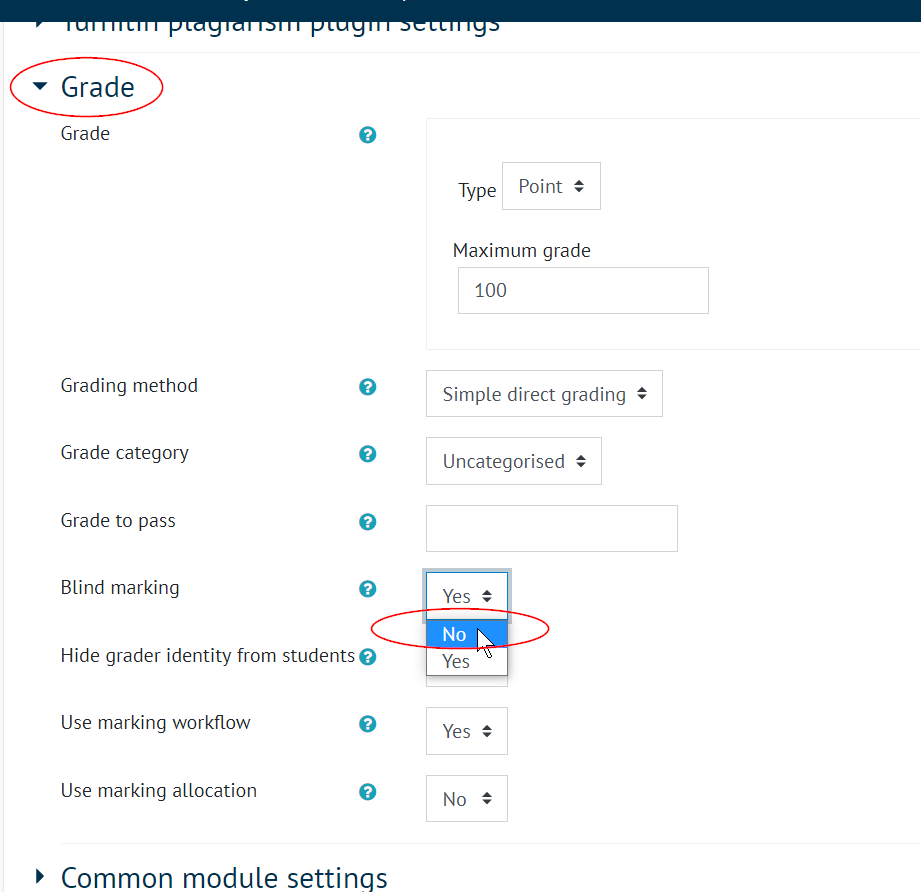
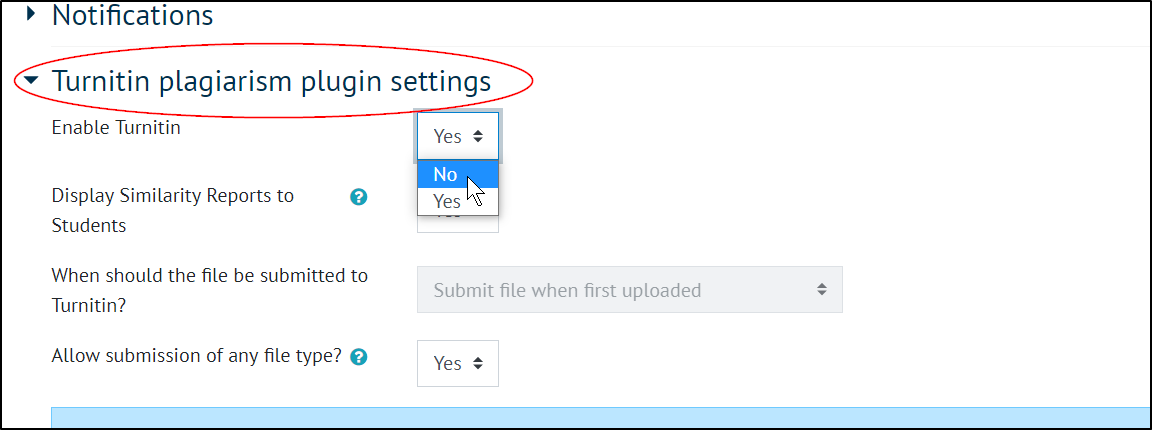
You can follow the same guide for setting up the Assignment tool for summative assignments, but make two changes:

In the Assignment settings, navigate down to:

Turnitin plagiarism plugin settings and set Enable Turnitin to No  

Grade and set Blind marking to No 

This will allow you to see the student names next to their submissions, so that you may contact them with feedback and stop the submissions being put through Turnitin.  This method can also be used for collation of forms or other paperwork from students.
Was this article helpful?
Updated on January 13, 2026