< 1 min read
To restore a file to an earlier time:
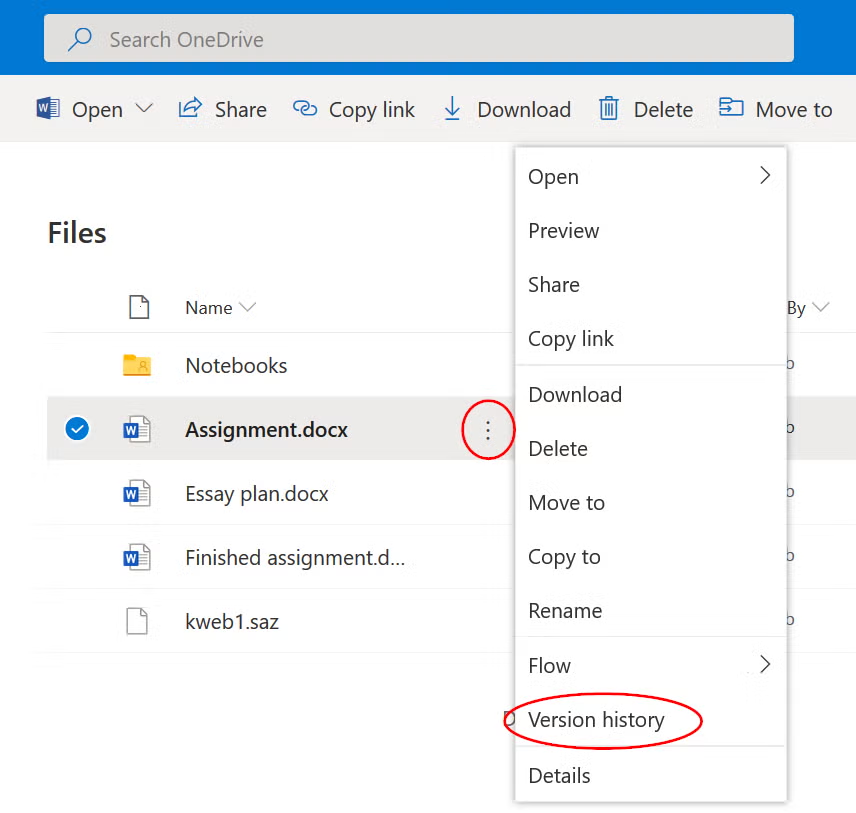
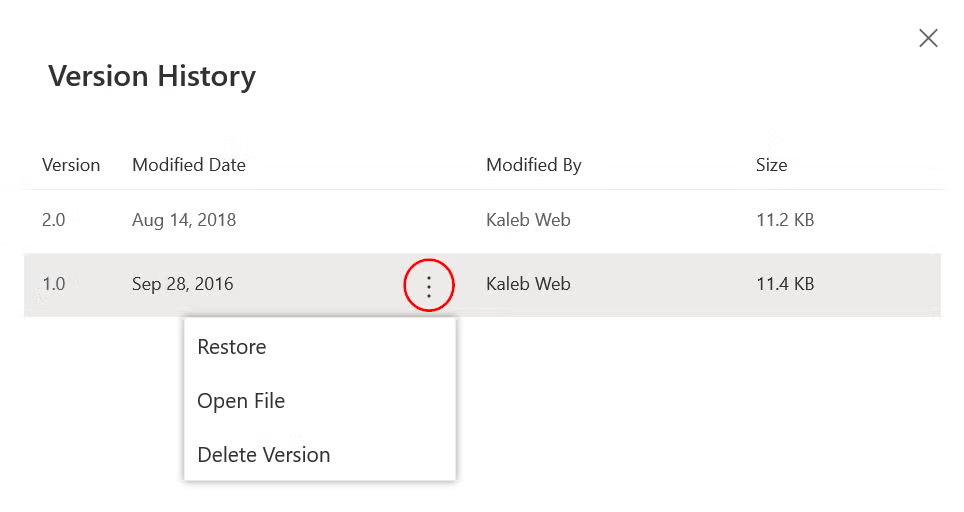
1.Open OneDrive2.Right-click the document to restore and click ‘Version history’ 3.From the list of saved versions, right-click a version and choose either ‘Restore’ or ‘Open file’