Online timetables (Publish)

2 min read

Moodle and ChiView

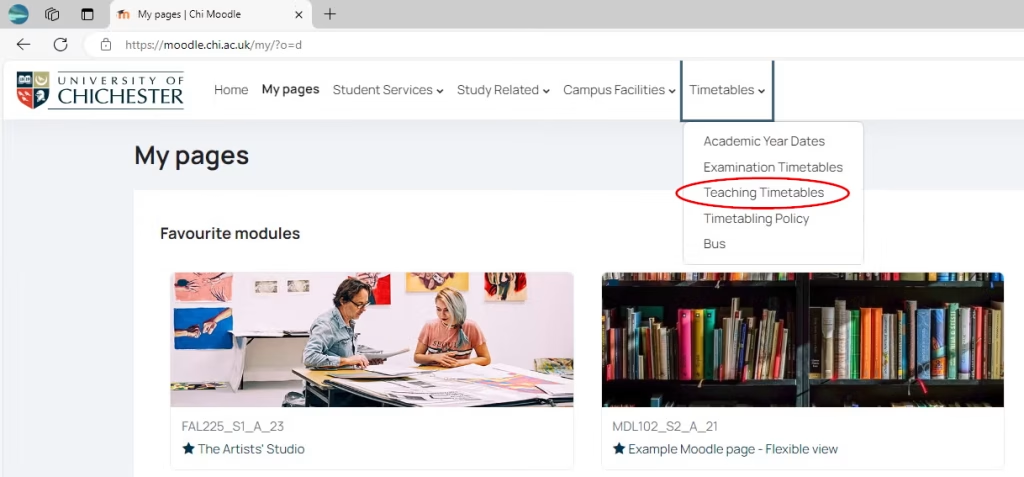
In Moodle there is a timetable option in the menu. Once expanded you will see a link to Teaching Timetables

This image show moodle and the timetables menu access point.

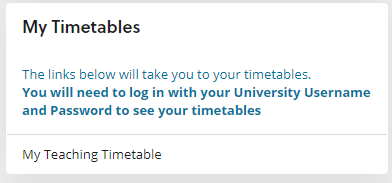
In ChiView, once you are logged in, you will see a Timetable link.                                                                                                             

Either way, you will be taken to Publish

This image shows access to timetables via chiview

My Timetable

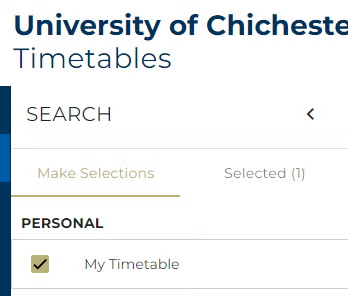
If you are a student or a member of teaching staff with a timetable scheduled for the current academic year you will automatically see My Timetable as an option.   If you have not yet been added to timetabled sessions please wait a couple of days and look again.

On the timetable calendar you can select to view by Day, Week, Month or in a list style Agenda.   You can also export your timetable to Excel from here.

This image shows timetable on chiview.

Modules and Locations

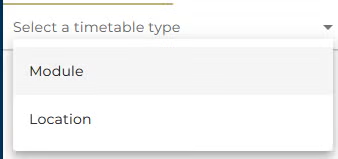
Please note that you will also be able to view the timetables for Modules or Locations from the Select a timetable type menu. 

These options are available to students and staff and allows you to view the timetables for locations or module that have been timetabled.

Other points
  • If you are both a student and a member of staff, you should log in to Publish in one or other capacity to obtain the appropriate information.
  • Staff will also have the option to view Student timetables.
  • Modules that do not require a room (e.g. dissertations / placements) will not appear on the timetable.

Who to contact

Type of query: module

Example: modules missing from timetable or incorrect

Contact: Academic Registry Modular team modular@chi.ac.uk

Type of query: group

Example: requests to change module groups. These will not normally be approved after two weeks into semester other than in exceptional circumstances

Contact: full details about this can be found under Module Changes in the online Student Handbook (accessed from the Student Resources menu option in Moodle)

Type of query: programme

Example: for general queries about your time slots or timetables

Contact: your Programme Office

Type of query: technical / IT

Example: you are unable to access ChiView, Moodle or your timetable

Contact: contact SIZ or log a call on Support Me

Was this article helpful?
Updated on January 16, 2026