
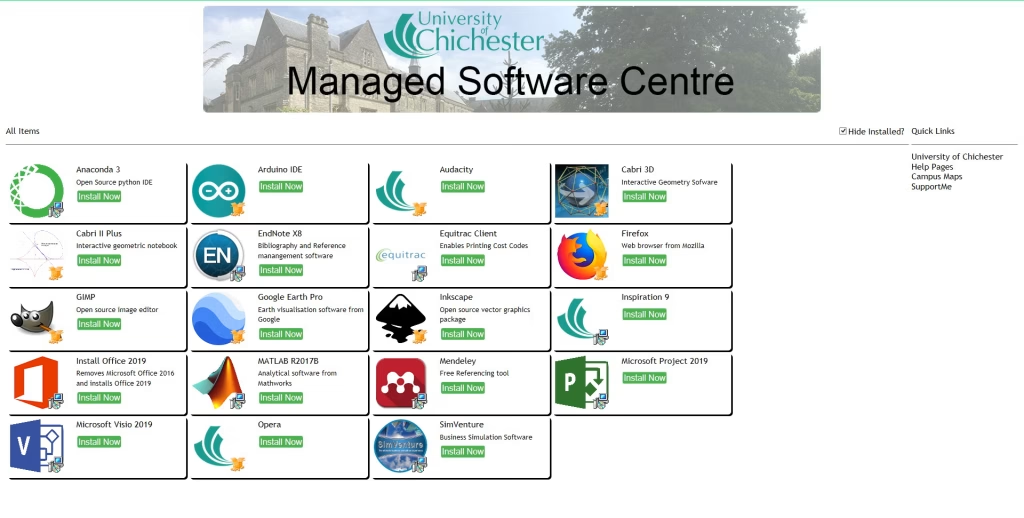
The Managed Software Centre allows you to access specialist software available on University‑managed Windows desktops and laptops. It displays all software currently licensed for you and/or your device.
Opening the Managed Software Centre #
You can open the Managed Software Centre in two ways:
- Scroll down the Start Menu and select Managed Software Centre.
- Use the magnifying glass on the taskbar to search for it.
Installing Software #
If you see software that is not currently installed on your computer, you will have the option to Install now.
- A Hide installed checkbox allows you to filter the list to only show software available to you but not yet installed.
- You can select multiple applications to install at once. These installations will be completed during the next reboot.
- Be aware that some software packages are large — installing several at once may cause your machine to take longer than usual to restart.
Licensing and Availability #
The University aims to pre‑install as much software as possible on Open Access computers. However, some applications may not be available to all users or all locations due to licensing restrictions imposed by software vendors.