To change the time zone for your Microsoft 365 account, start by accessing your email via mail.chi.ac.uk (the Microsoft 365 portal).
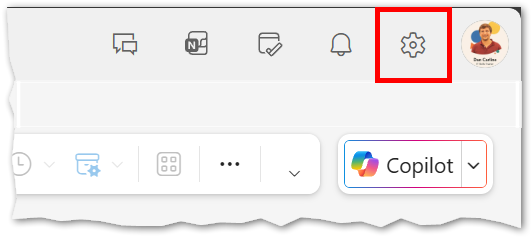
- Open your email and click the Settings cog. This is located at the top-right of the screen on the menu bar.
Select View all Outlook settings at the bottom of the settings pane.
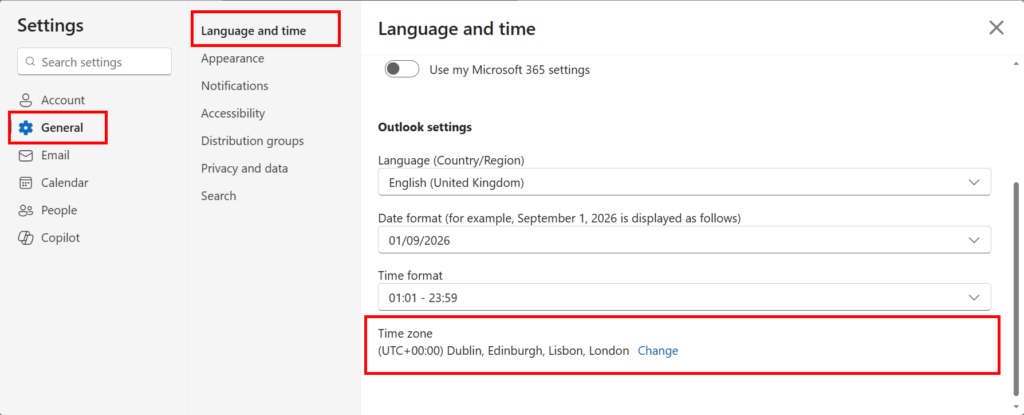
In the left-hand menu, choose General, then select Language and time.
At the bottom of this menu, choose your correct Time zone.
1. Picture
2. Picture