How to send personal data securely using email encryption
1 min read
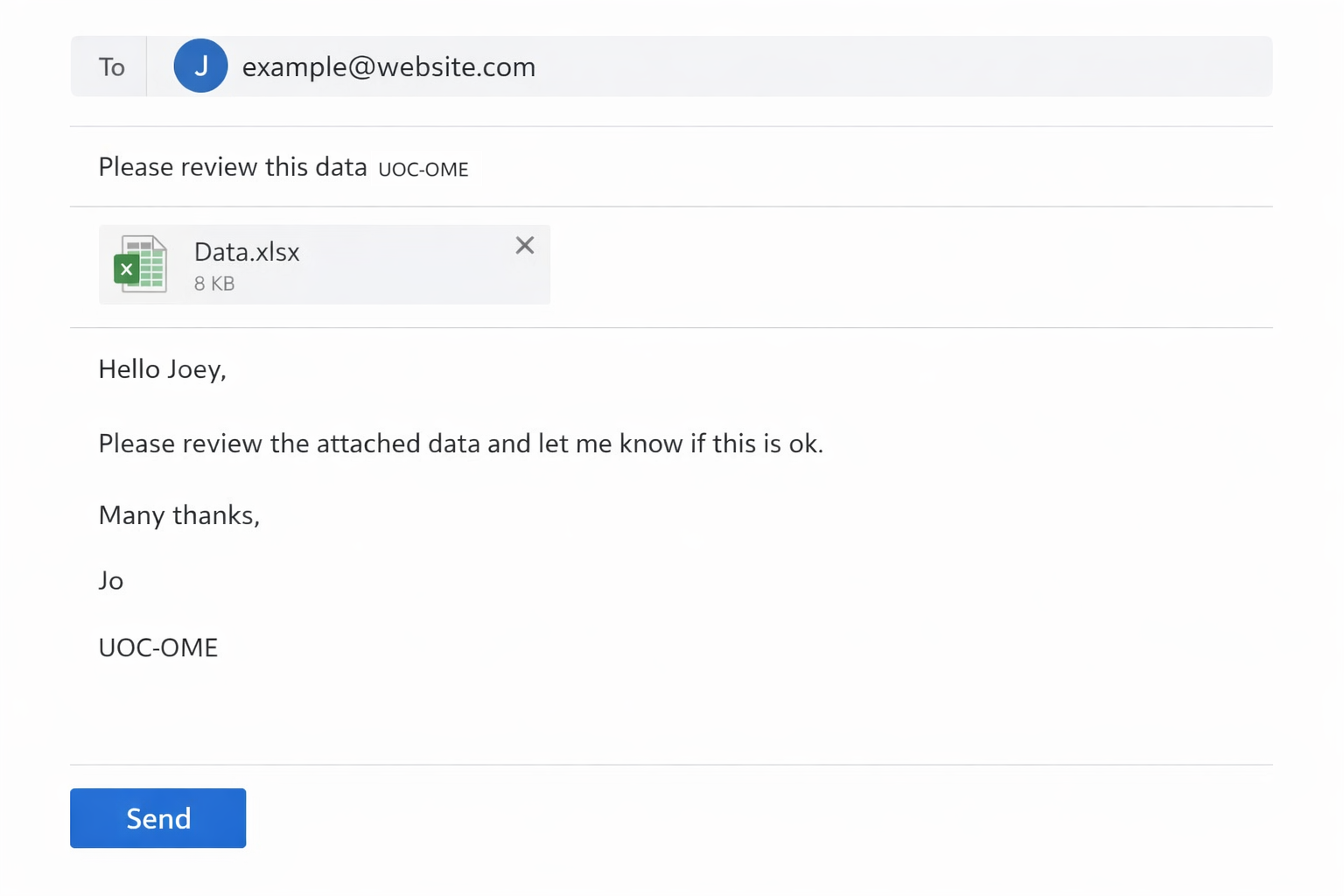
When sending emails from your University account (@chi.ac.uk) to recipients outside the University, it’s not always clear whether the message will be accessed securely. This is especially important if the email contains personal or sensitive data. To ensure security, you can encrypt individual emails by including the phrase UOC‑OME in either the subject line or the body of your message.
You can use any method you prefer—Outlook Web App, Outlook desktop client, or a mobile device. Once encrypted, any replies will also remain encrypted, maintaining the same level of security.
Note:Emails sent internally between @chi.ac.uk addresses are already secured, so additional encryption is not required.
Sending Encrypted Emails from a Personal University Address
Compose your email and attach any relevant documents.
Add UOC‑OME to the subject line or the body of the email.
Send the email.
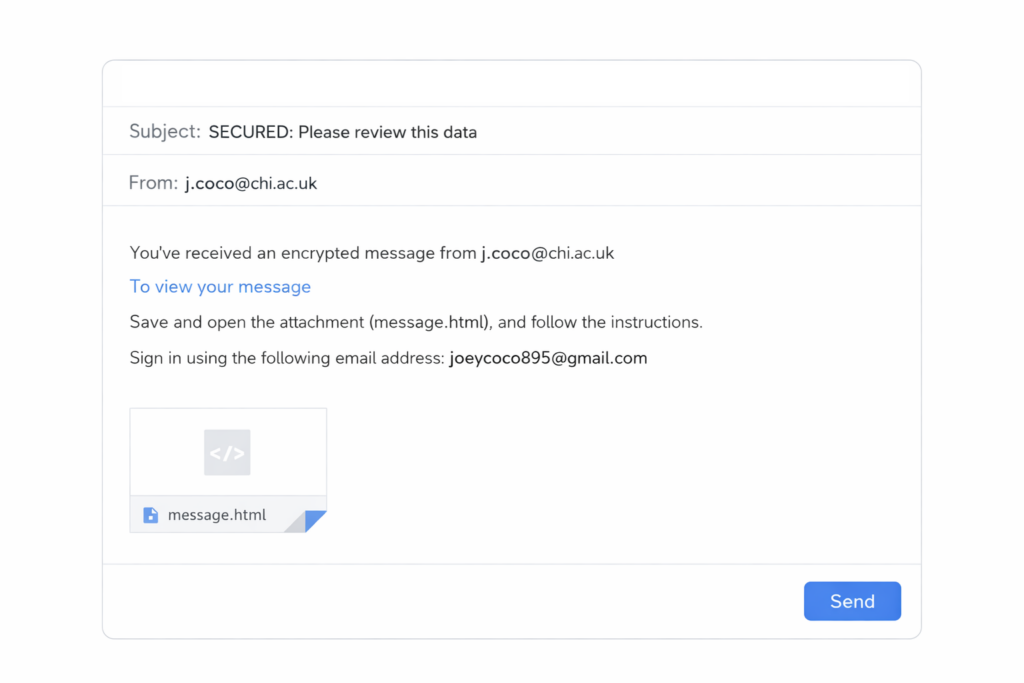
The recipient will receive an email with an attached file.
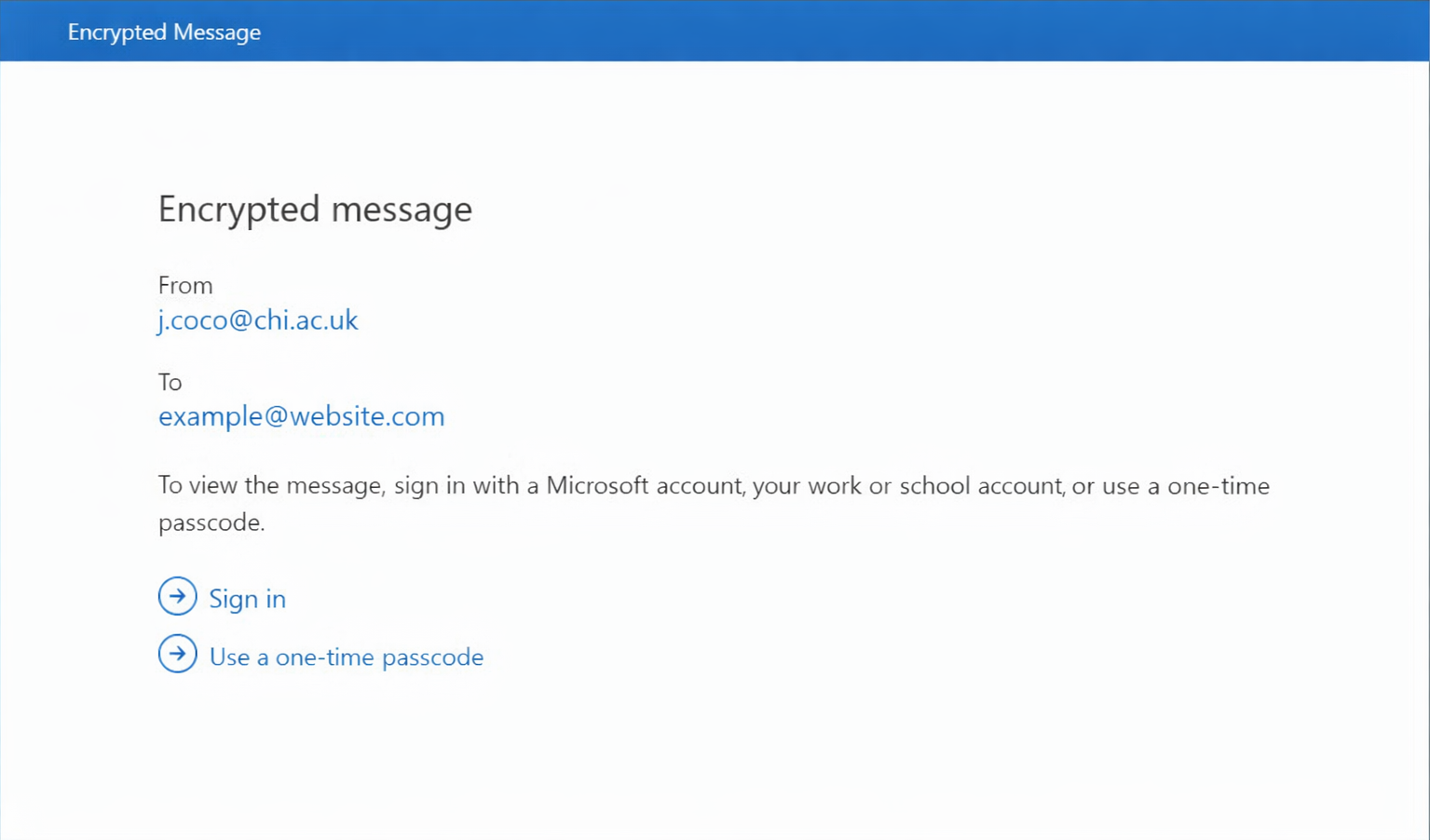
After downloading and opening the attachment, they’ll see instructions on how to decrypt it.
They’ll be prompted to enter a one-time passcode, which will be sent to their email address.
If using a personal device, they can choose to stay signed in securely for 12 hours.
Once verified, the encrypted email and its attachments will be fully accessible.
1. Picture
2. Picture
3. Picture
Sending Encrypted Emails from a Shared University Address
If you need to send encrypted emails from a shared University account, a technical update is required.