
Excel – Text to Columns

1 min read

What Is Text-to-Columns and Why Use It?

The Text-to-Columns feature in Excel allows you to split data in a single column into multiple columns based on a delimiter (such as commas, spaces, or tabs) or a fixed width. This is useful when working with imported data, lists, or combined fields that need to be separated for analysis or formatting.

1. Prepare Your Data

  • Ensure the column you want to split contains consistent data.
  • Insert blank columns to the right of your data to avoid overwriting existing content.
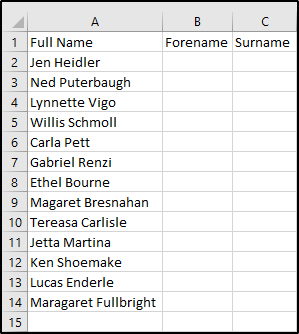
This image shows a column of data before it has had text to columns applied to it.

2. Open the Text-to-Columns Wizard

  1. Select the column containing the text you want to split.
  2. Go to the Data tab on the Ribbon.
  3. In the Data Tools group, click Text to Columns.
This image shows the menu ribbon under the data section to select text to columns.

3. Choose the Split Method

  • Delimited: Use this option if your data is separated by characters such as commas, spaces, or tabs.
  • Fixed Width: Use this option if your data has a consistent spacing pattern.

Click Next to continue.

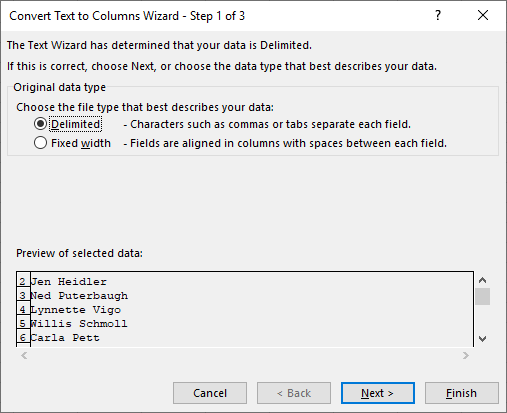
This image shows the split method inside of the text to columns feature.

4. Set Delimiters or Column Breaks

  • For Delimited:
    1. Select the delimiter(s) that apply (e.g., Comma, Space, Tab).
    2. Preview the split in the Data Preview window.
  • For Fixed Width:
    1. Click to set column breaks in the preview.
    2. Adjust as needed.

Click Next.

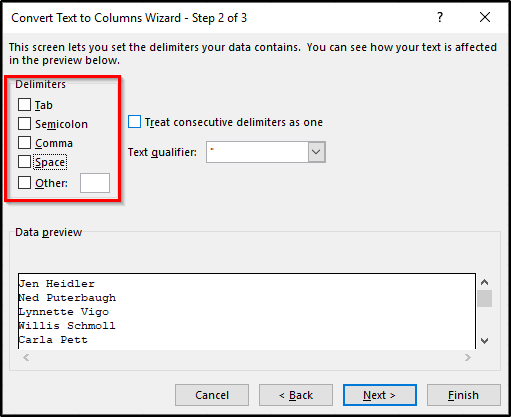
This picture shows selecting a delimiter to choose what character your columns are separated by.

5. Format the Columns

  • Choose a data format for each column (General, Text, Date).
  • Click Finish to apply the changes.
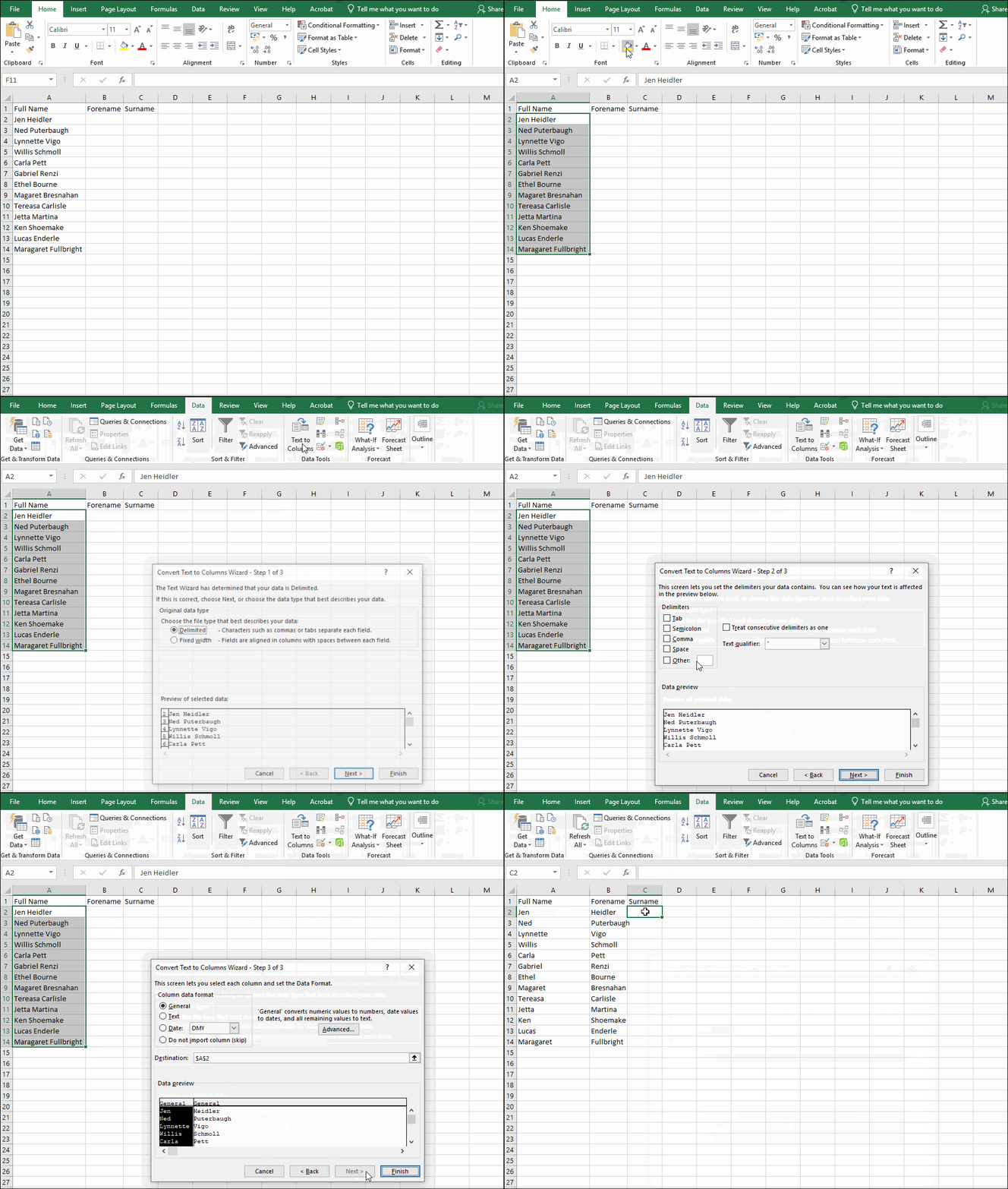
This animation shows spliting text by using the text to columns feature.

Best Practices

  • Always check the Data Preview before finishing to avoid incorrect splits.
  • If your data includes mixed delimiters, clean it first for accuracy.
  • Consider using Excel functions like TEXTSPLIT (available in newer versions) for dynamic splitting.
Was this article helpful?
Updated on January 14, 2026