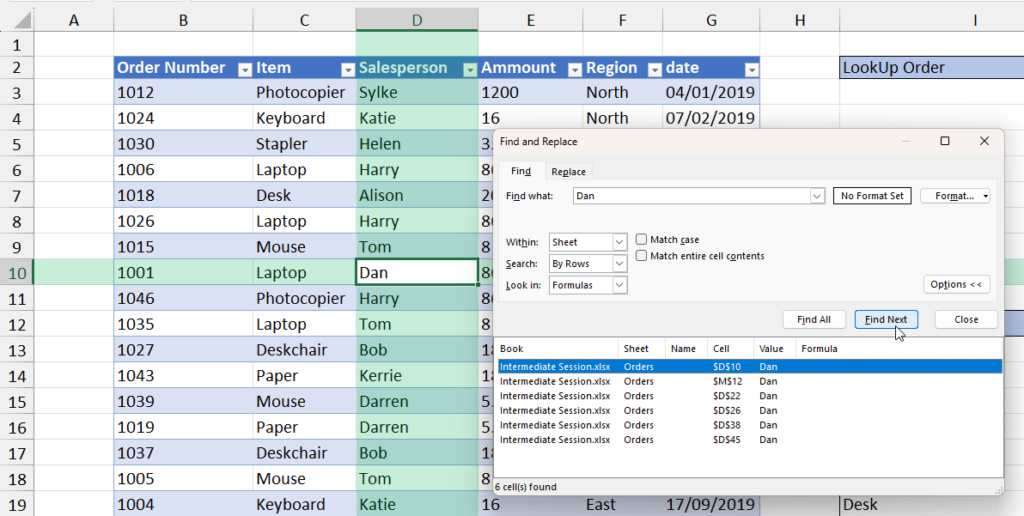
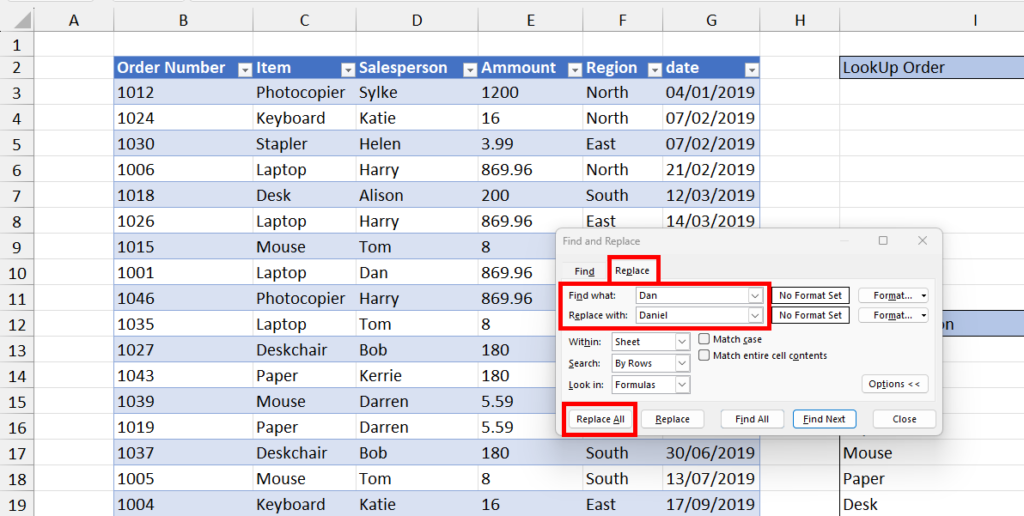
The Find and Replace feature helps you quickly locate and update text, numbers, or formulas in your worksheet or workbook.
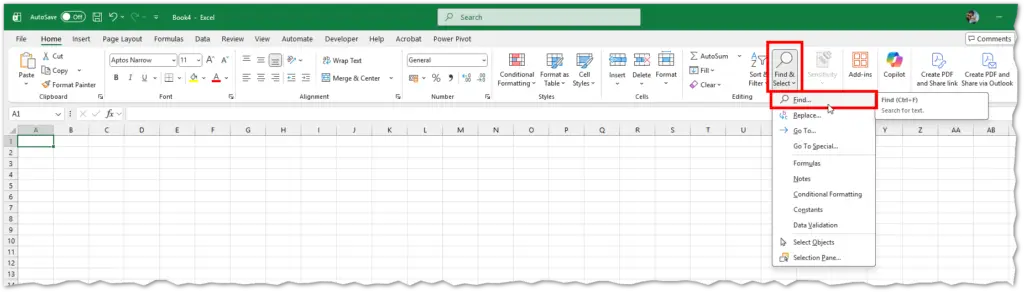
Access
- Home → Editing → Find & Select → Find / Replace
- Shortcuts:
- Find:
Ctrl + F - Replace:
Ctrl + H
- Find:
Find
- Press
Ctrl + F. - Enter the text, number, or formula.
- Click:
- Find Next – move through matches.
- Find All – view all matches in a list.
Options:
- Match case – exact capitalization.
- Match entire cell contents – exact match only.
- Within: Sheet or Workbook.
- Look in: Formulas, Values, or Comments.
Replace
- Press
Ctrl + H. - Enter what to find and what to replace it with.
- Click:
- Replace – change current match.
- Replace All – change all matches.
Tip: Use Replace All carefully—it updates everything instantly.
Advanced Options
- Click Options in the dialog to:
- Search by rows or columns.
- Include formatting.
- Limit search scope.