ChiView – Updating your personal email address

< 1 min read

  1. Log on to chiview.chi.ac.uk
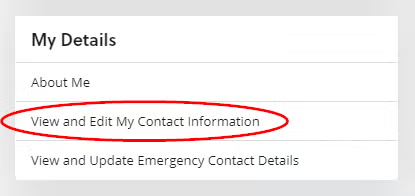
  2. From within the ‘My details’ section click ‘View and Edit My Contact Information’ 
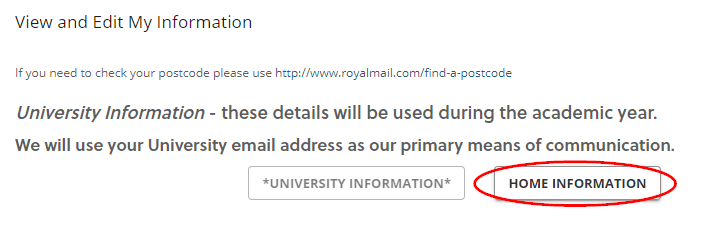
  3. Click ‘Home Information’ 
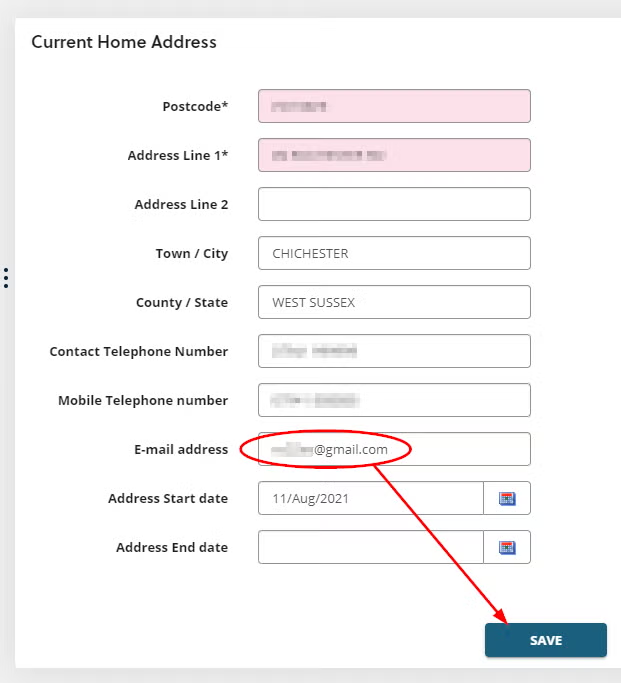
  4. In the ‘E-mail address’ field type your personal email address, then ‘Save’ 

Please note: once your personal email address has been saved, you will need to wait until after 7pm for your email to work with Password manager
Was this article helpful?
Updated on January 20, 2026