You can set Adobe Reader as the default programme for viewing pdfs on Windows computers by following these steps:
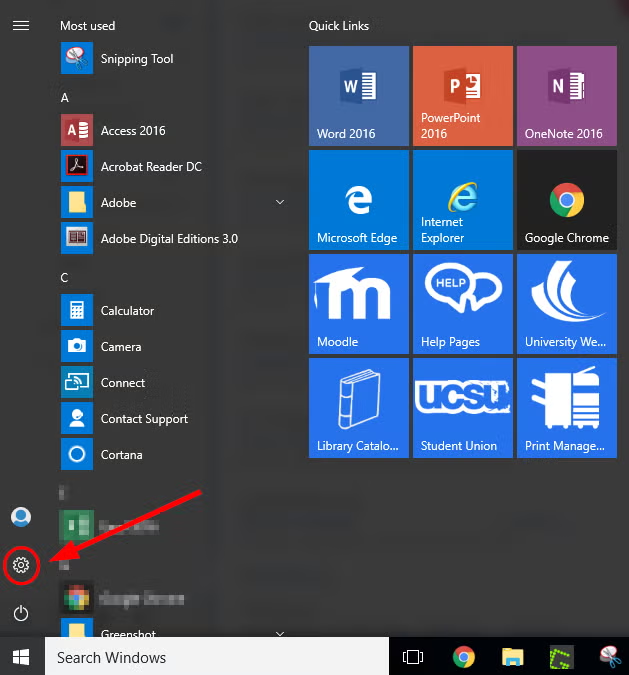
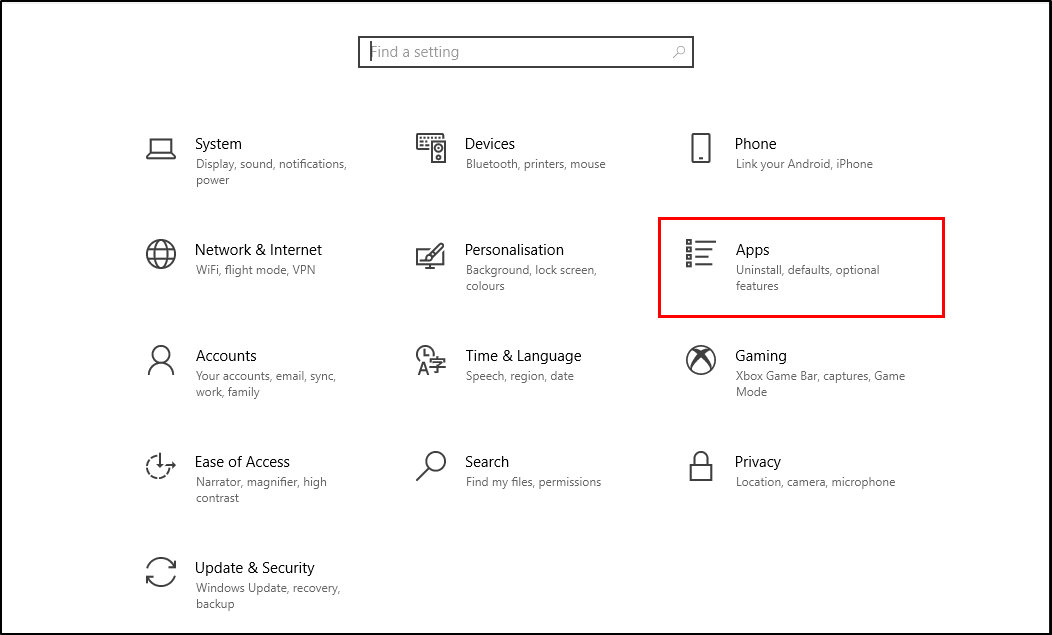
- Click on the Start button and select the Settings cog
- In the Windows Settings display, select Apps
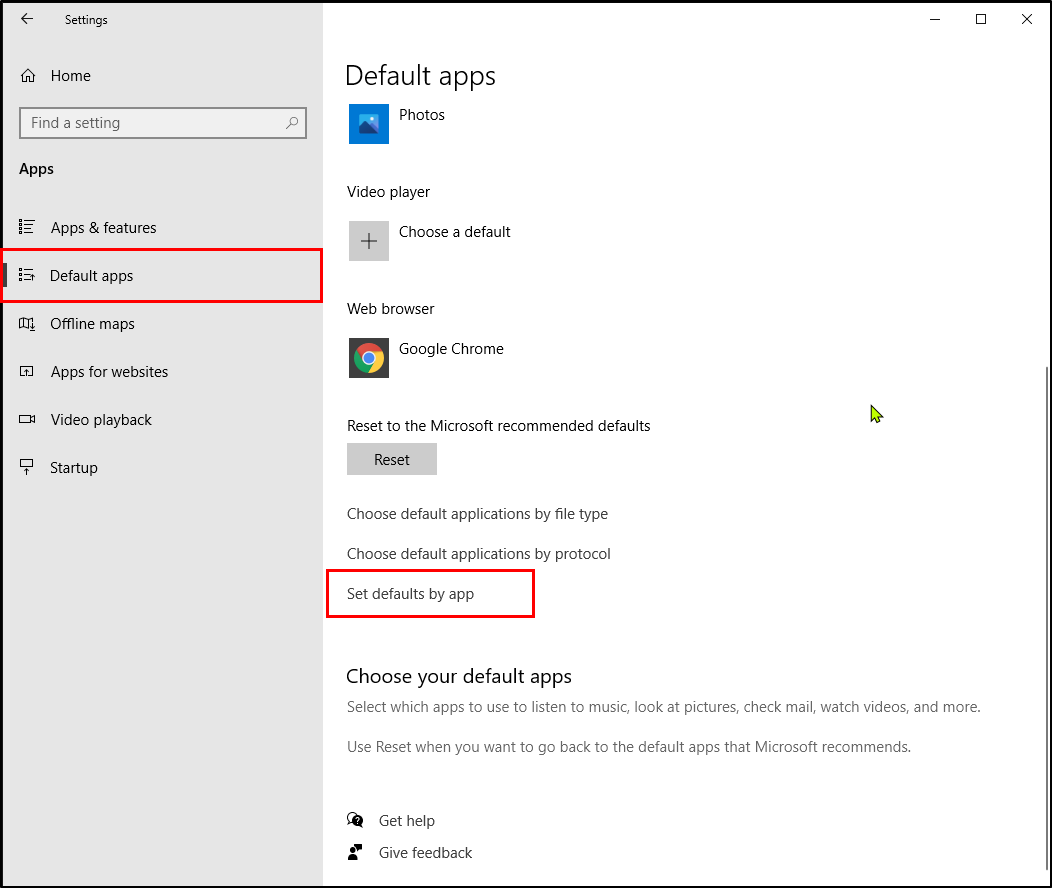
- Within the App list, select Default apps. At the bottom of the default apps page, select Set defaults by app
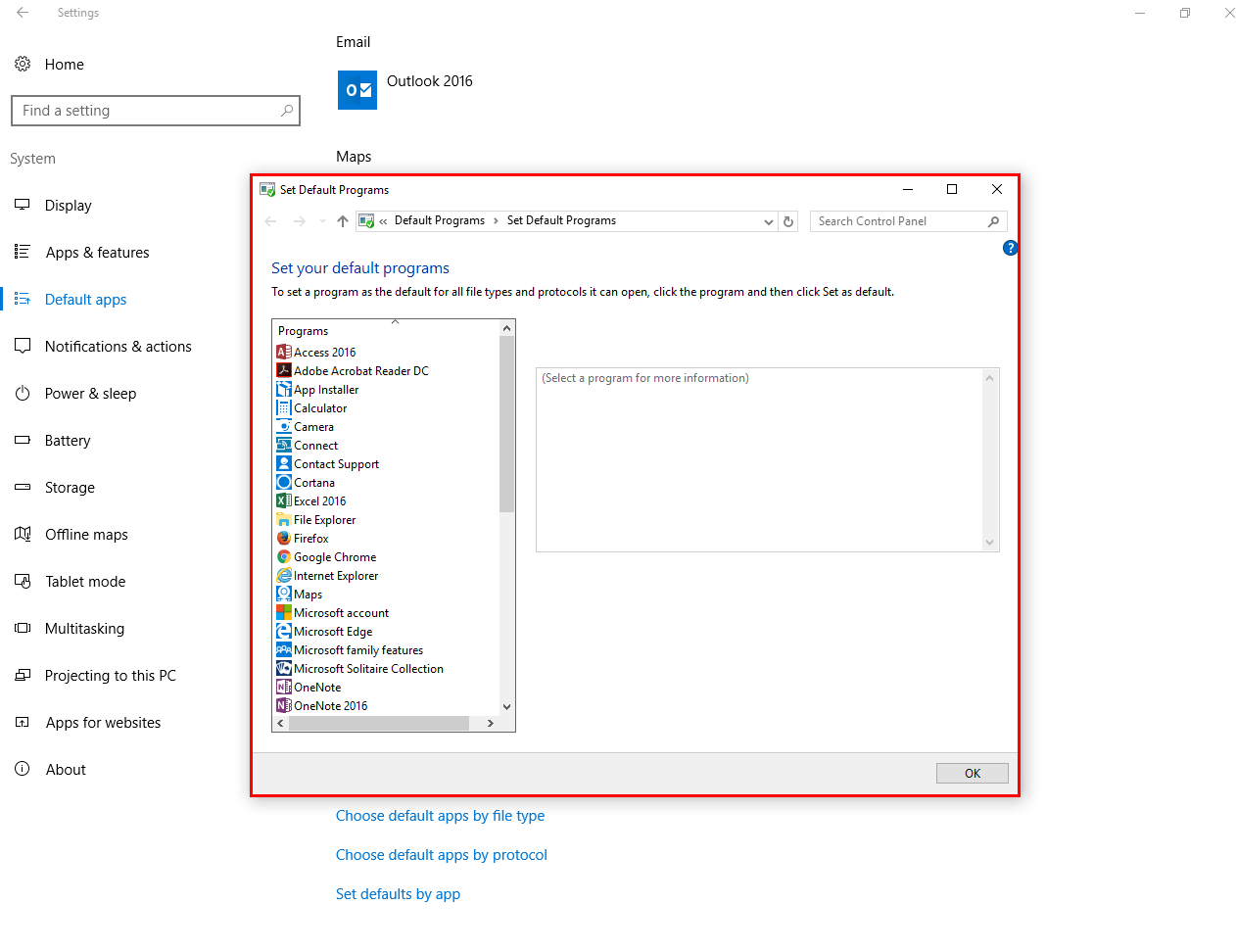
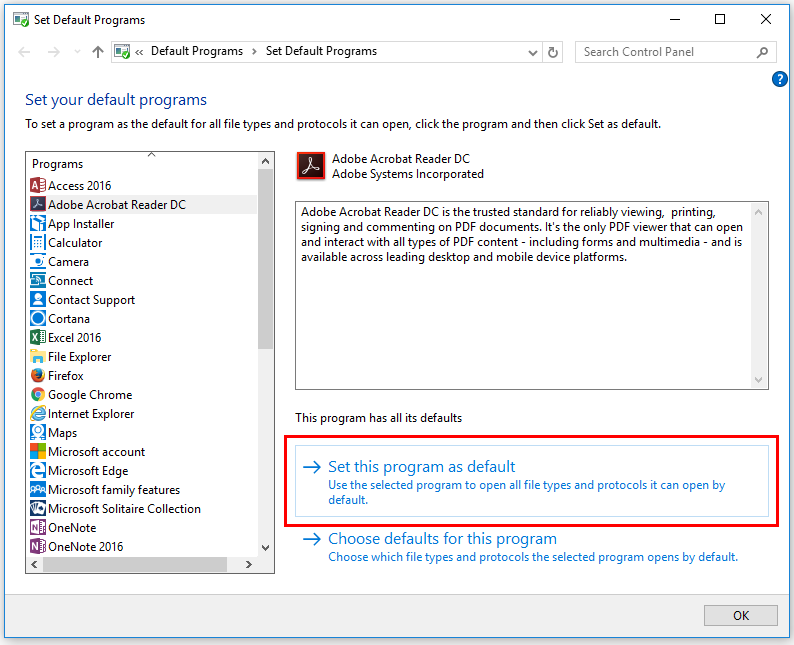
- The Set Default Programs window will open
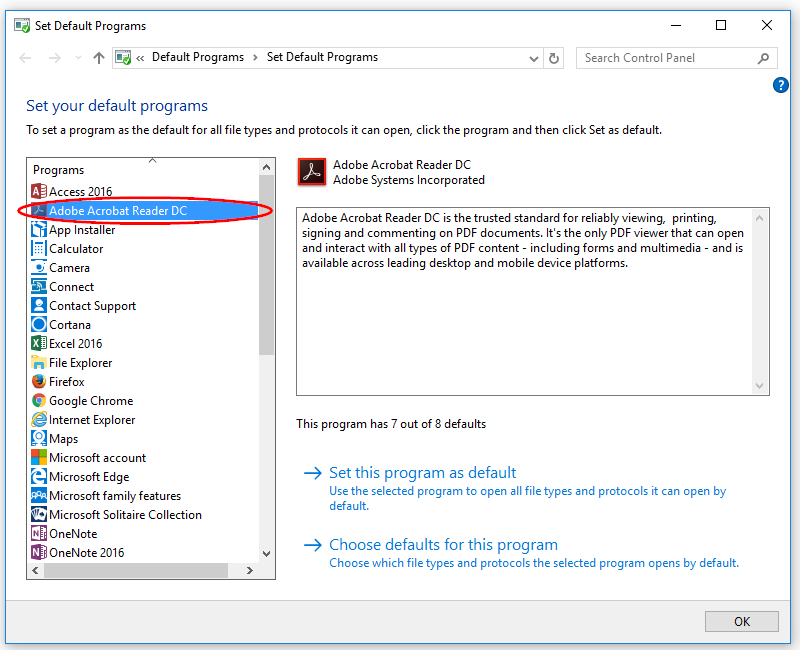
- Under the list of programs on the left, click on Adobe Acrobat Reader DC
- Choose Set this program as default
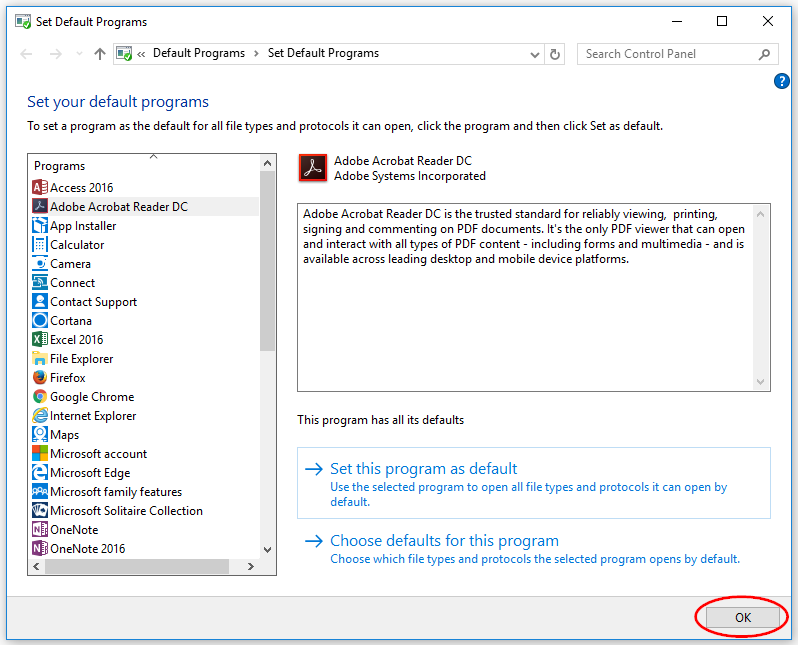
- Select OK
- The next time you open a pdf it will automatically open in Adobe Reader