
The Ease of Access Centre can be found by searching the Start menu (enter “ease” in the search box)
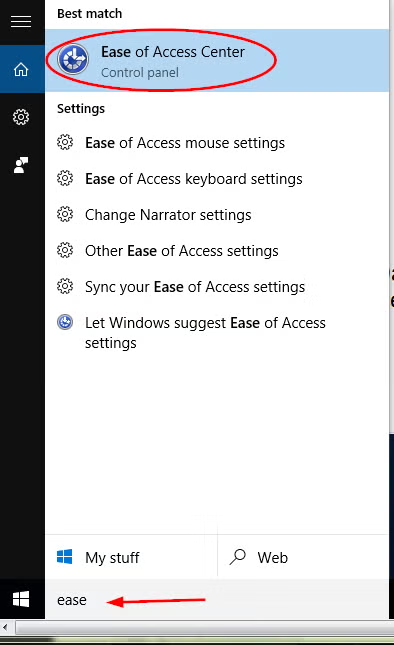
Alternatively, use the keyboard shortcut Windows button + U to access it.
Commonly used options are also available from login screen via the Ease of Access icon:

Microsoft’s accessibility guides #
The Ease of Access Centre includes:
- Magnifier (choose Windows 10 from the drop down) – enlarge all or parts of the display
- High contrast – choose the colour contrast you prefer for the screen
- Text or visual alternatives to sounds
- On screen keyboard (choose Windows 10 from the drop down)
- Narrator – hear text read aloud
- Keyboard shortcuts (choose Windows 10 from the drop down) – reduce the need to use a mouse
- Keyboard shortcuts for touchscreen
- Speech recognition
Overview of accessibility in Windows 10 (from Microsoft).