The Accessibility Tool in Moodle allows you to set the colour scheme, font style, readability and text size in Moodle. These settings apply only to you and do not affect how anyone else views the pages.
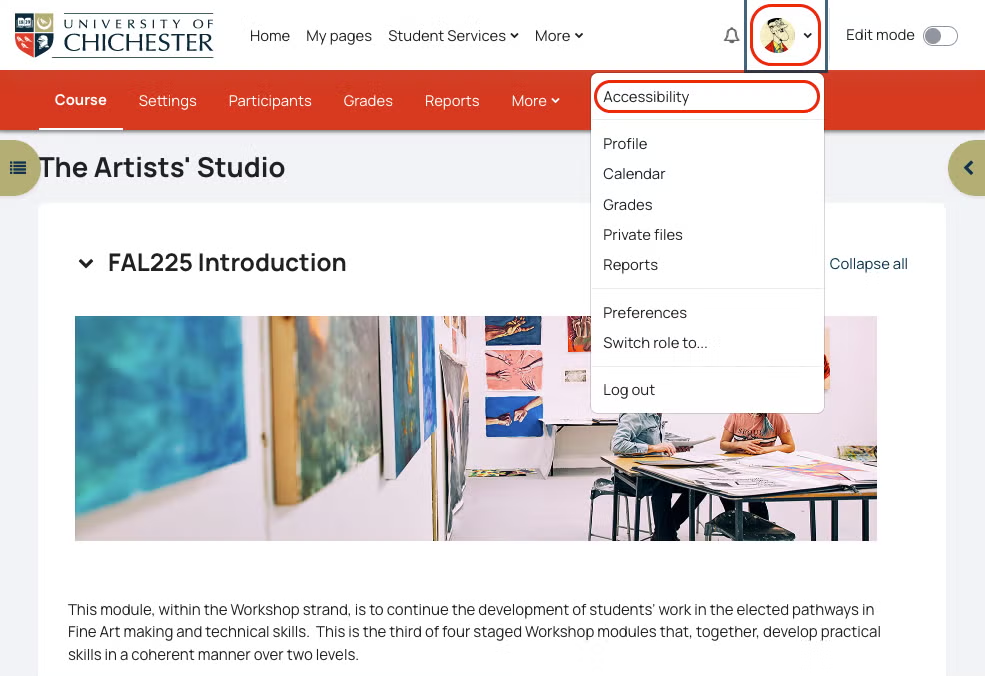
To access the accessibility tools:
Click on your profile icon in the top-right of Moodle > select Accessibility
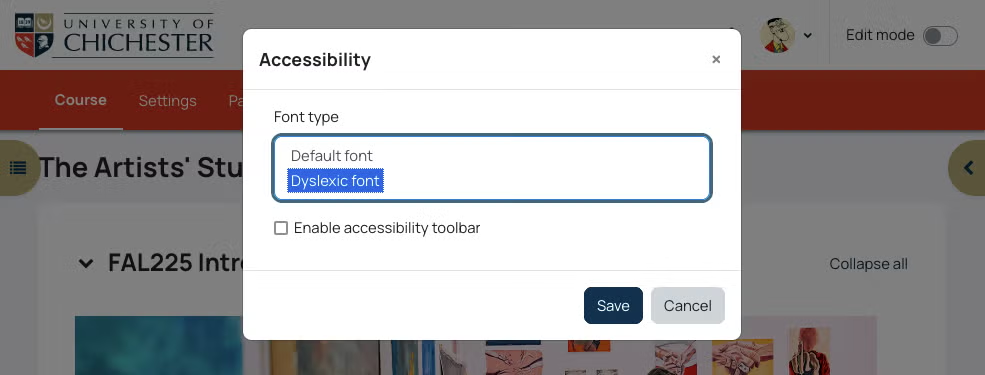
2. You can choose to change the default font to a font which is designed to support dyslexic users.
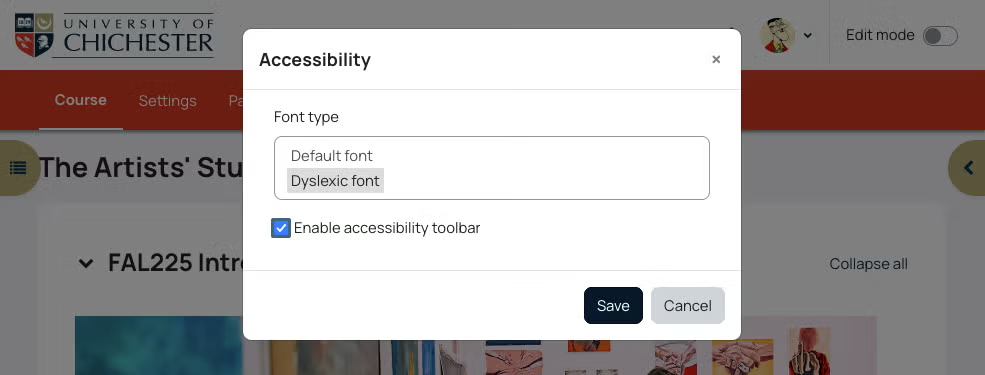
3. You can choose to Enable the accessibility toolbar
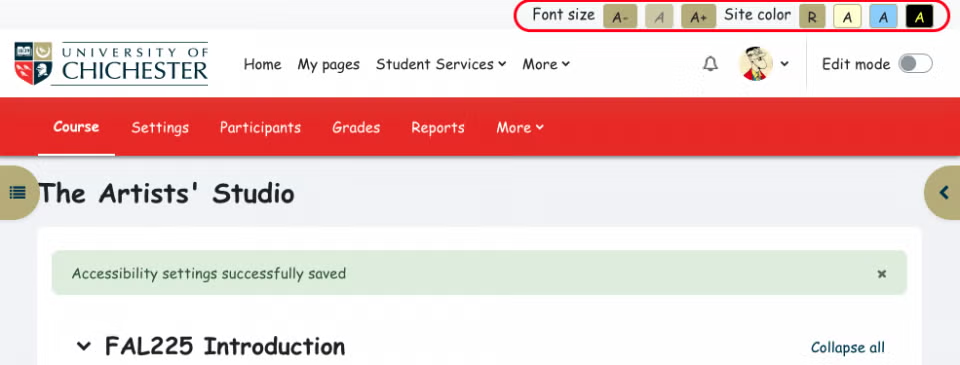
The Accessibility toolbar (highlighted below) allows you to change the overall formatting across Moodle
Font size
Site colour
If you’re a content creator and want to learn more about creating accessible resources and activities, please check our help page: Digital Accessibility