
Adobe Creative Cloud is available on campus computers for Student and Staff usage.
In order for it to work properly it is important that if asked you log in choosing the correct licence instance.
When you are asked to login by Creative Cloud or one of the products delivered via it you will first be presented with a blank Sign in page
Enter your University of Chichester email address and select Continue button.
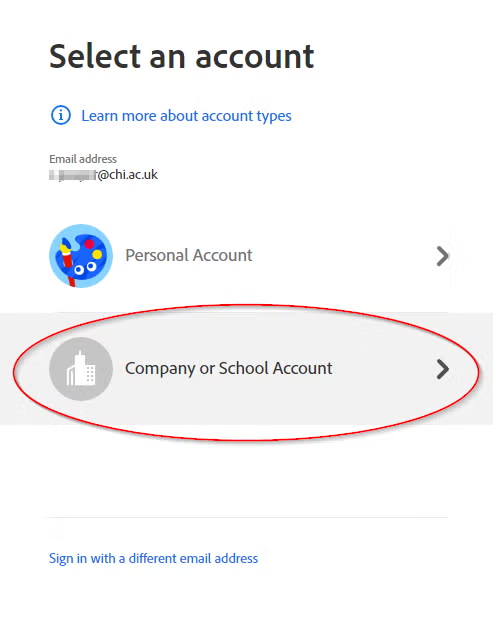
You will be asked to Select an account – choose Company or School account.
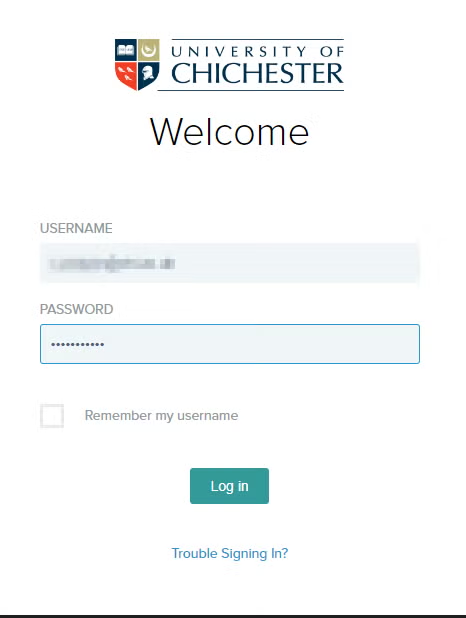
You will then be taken to the university Single Sign On page – sign in with your normal UoC credentials.
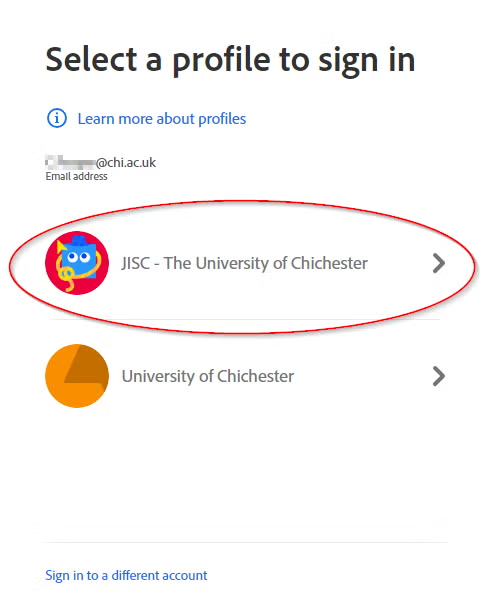
You will be asked Select a profile to sign in – choose JISC – The University of Chichester – the non JISC version will not provide you full functionality.
The app will normally take a few moments to update licencing etc.
If you encounter issues using adobe products – such as adobe acrobat not allowing you to edit a document – in the first instance please load up the Adobe Creative Cloud app and then open your preffered software from there.
If this does not work please contact the SIZ team for support.
In order for it to work properly it is important that if asked you log in choosing the correct licence instance.
When you are asked to login by Creative Cloud or one of the products delivered via it you will first be presented with a blank Sign in page
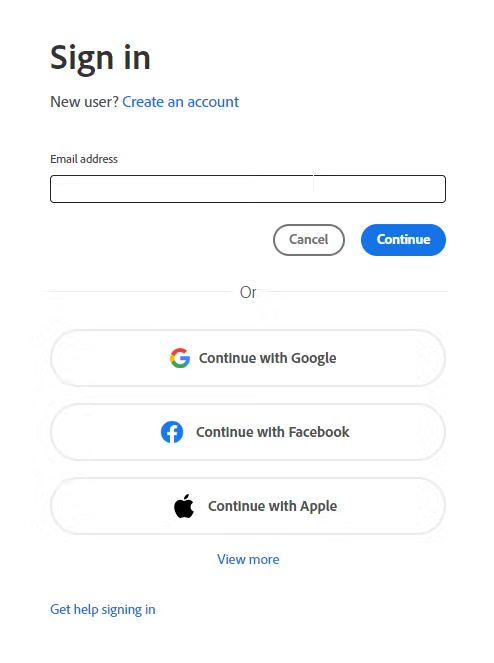
Enter your University of Chichester email address and select Continue button.
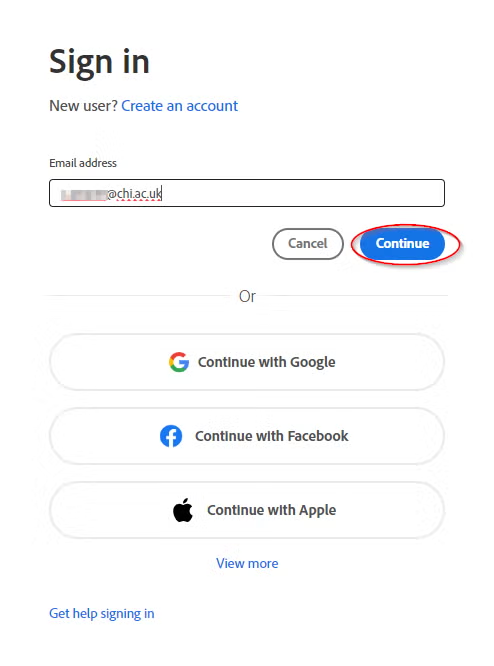
You will be asked to Select an account – choose Company or School account.
You will then be taken to the university Single Sign On page – sign in with your normal UoC credentials.
You will be asked Select a profile to sign in – choose JISC – The University of Chichester – the non JISC version will not provide you full functionality.
The app will normally take a few moments to update licencing etc.
If you encounter issues using adobe products – such as adobe acrobat not allowing you to edit a document – in the first instance please load up the Adobe Creative Cloud app and then open your preffered software from there.
If this does not work please contact the SIZ team for support.