IF functions are useful when you want to apply a condition or criteria to a calculation. For example, if you want to count only the values above a certain amount, you can use COUNTIF to count the number of cells in a range that meet that condition.
There are several functions that use IF logic, including:
SUMIF – Adds values that meet a condition.
COUNTIF – Counts values that meet a condition.
AVERAGEIF – Averages values that meet a condition.
In general, many standard functions have an IF variant that applies a condition. All IF functions follow a similar structure: you specify the range, the criteria, and (in some cases) an additional range for the calculation.
Range(Required): The cells to evaluate against the criteria.
Criteria(Required): The condition that determines which cells are included. This can be a number, expression, cell reference, or text (e.g., 32, "32", ">32", "apples", or B4).
Average_range(Optional): The actual cells to average. If omitted, Excel uses the first range.
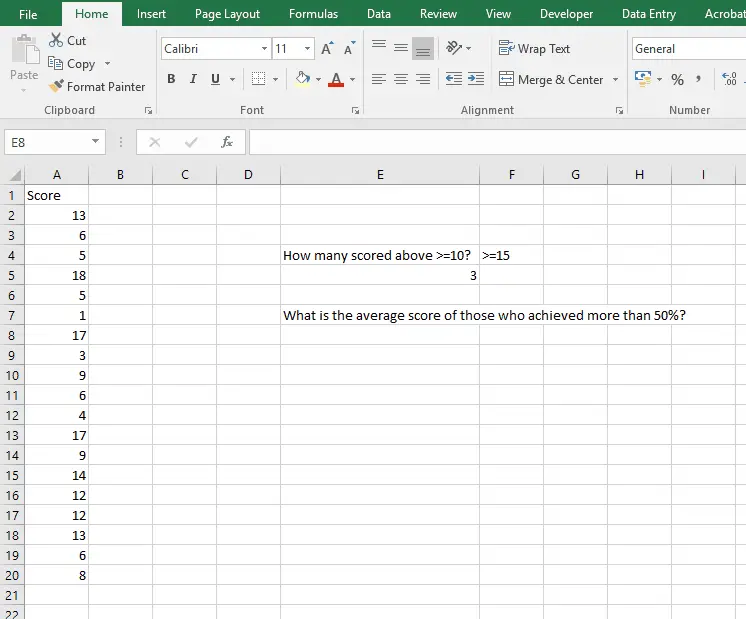
AverageIF Example
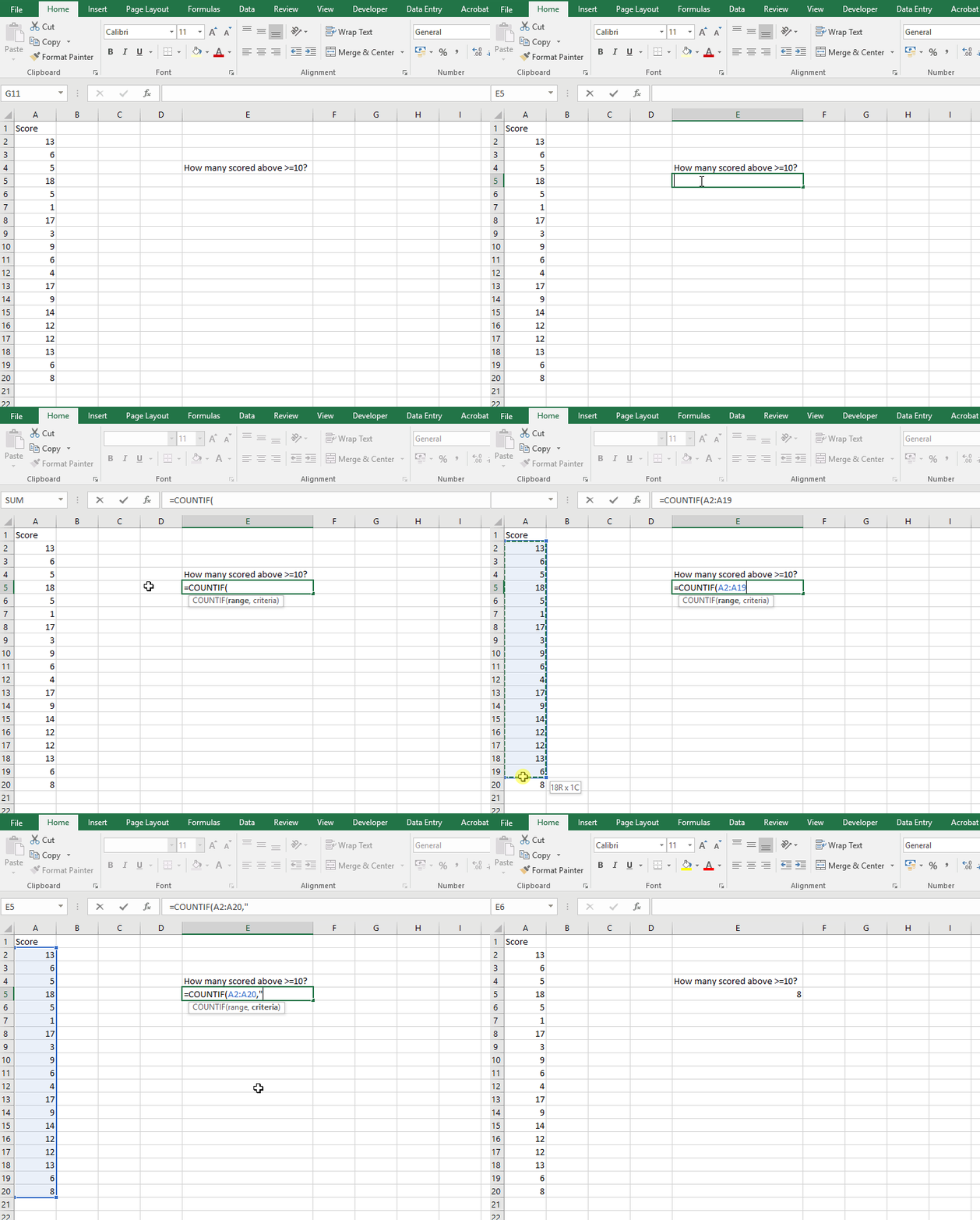
COUNTIF
=COUNTIF(range, criteria)
Arguments:
Range: The cells to check for the condition.
Criteria: The condition to match. This can be:
A manual value in quotes (e.g., "1" will count cells containing 1).
A cell reference (e.g., B1 will use the value in cell B1 as the condition).
Tip: Using a cell reference for the criteria makes it easier to update later without editing the formula.
CountIF Example
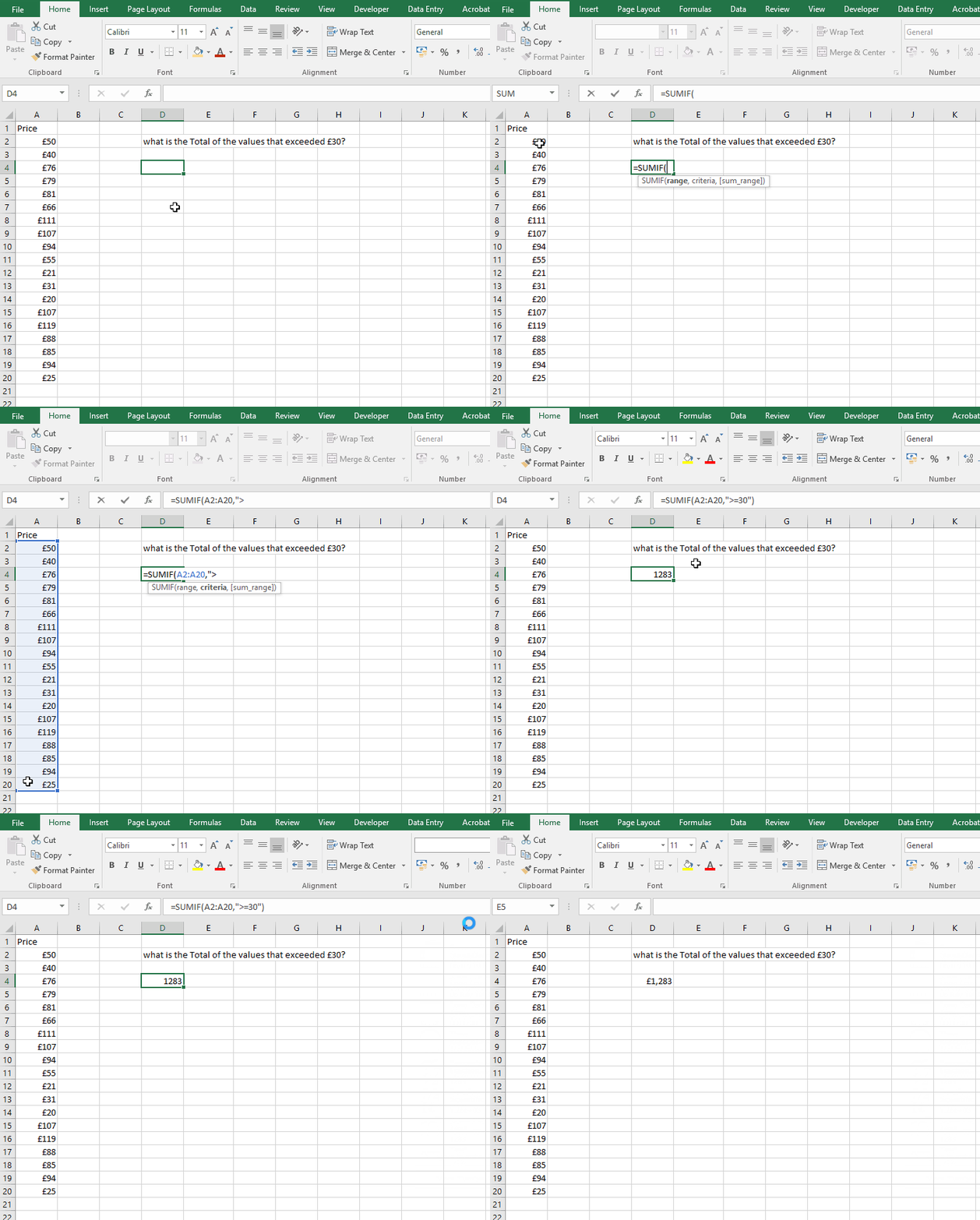
SUMIF
=SUMIF(range, criteria, [sum_range])
Arguments:
Range: The cells to evaluate against the criteria.
Criteria: The condition to match.
Sum_range(Optional): The cells to sum. If omitted, Excel sums the first range.
SUMIF and AVERAGEIF include an optional third argument (sum_range or average_range) for specifying which cells to calculate. If omitted, Excel uses the first range.
Criteria can include comparison operators (>, <, >=, <=) and wildcards (*, ?) for text matching.